Posts

How to keep your laptop from overheating

How to keep your laptop from overheating

More employees are opting for laptops because they’re compact and easy to carry around. However, small frames mean less space for computer chips, transistors, RAM, hard drives, and other hardware components. This leads to overheating.

Causes of overheating

Laptops generate heat when in use. That’s why they have internal fans that blow out hot air and suck in cooler air. So when your laptop keeps shutting down or suffers some serious slowdowns, chances are it’s overheating.

Some causes of overheating are:

Damaged or malfunctioning fans are due to dirt and grime clogging up the fan, preventing it from rotating properly.
Blocked air vents prevents air from flowing into the laptop.
Old laptop battery rely on lithium, a chemical that naturally decays over time; as the battery gets older, it becomes less efficient and generates more heat
Running too many software programs in the background can cause your processor and fans to go on overdrive.
Bad habits when using your laptop, such as using uneven or soft surfaces as padding, can block the air vents, leading to overheating.

What to do if your laptop’s overheating

If your laptop starts overheating, the first thing you should do is turn your laptop off and check if the fan is damaged in any way. This can slow down its rotation. Next, inspect the vents and fan for any dirt, grime, or other possible causes of blockage.

Also, check how many software programs or apps run immediately after switching your laptop on. If your laptop is overheating or shutting down after a while, you may have to disable applications on startup.

Keeping it cool

Always make sure that there’s adequate airflow when you’re using your laptop. Avoid using your laptop in bed or on a carpet. And never use pillows as padding as they can block the air vents of your laptop. Better yet, invest in a cooling pad. They lift your laptop and have built-in fans that facilitate better airflow.

Other ways to avoid overheating are limiting the number of programs that run when you start your laptop, changing your settings to power save mode, and shutting down your laptop when you’re not using it.

Users often take their laptops for granted because they’re built as plug-and-play devices. However, with a little extra care and attention, your laptops can last longer. If you want to prolong the lifespan of your hardware, call our experts today.

Published with permission from TechAdvisory.org. Source.


Source: Pronto

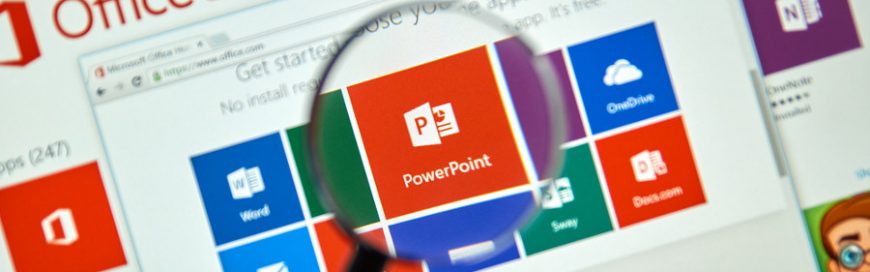
Improve your PowerPoint skills with these tips

Improve your PowerPoint skills with these tips

Office workers are far too familiar with slideshow presentations that are either more soporific than cough medicine or are horrible time sinks that make them miss their deadlines. To avoid becoming the next target of their ire and resentment — and perhaps become the presenter everyone actually enjoys — here are some tips on how to use Microsoft PowerPoint.

Start slideshows instantly
The audience doesn’t want to see the speaker’s cluttered desktop or unread emails as the PowerPoint presentation is being set up. Simply select the file and save it as a PowerPoint Show. Bypass the editing mode and start the show with a double click and end it with the Esc key.

Pull back the focus with blackouts and whiteouts
Audience members tend to lose focus or drift away when presentations are longer than usual. If you suspect audience members are starting to lose focus, hit the B key for a complete blackout or the W key for a total whiteout. Then hit any key or click the mouse to return to the slides — this technique helps get the eyes back on you, where they belong.

Say no to bullet points
Both Steve Jobs and Tim Cook agree that bulleted lists aren’t the ticket. A better way to create lists is to drop each item in one at a time, if possible, next to a big image that is the main focus of your presentation. Don’t forget to talk about each individual list item, but not with bullets.

Insert pictures from Flickr and OneNote
Jazz up presentations by including images or memes that’ll make the audience laugh instead of doze off. Head to the Insert tab and select Online Pictures — you’ll see Office.com Clip Art, Bing Image Search, Flickr, OneNote, and even Facebook. A vast pool of online imagery is now at your disposal.

Chart animation
The challenge doesn’t lie in inserting a chart into the presentation, but in making it interesting. Enter chart animation. After inserting the chart, click the Animations tab and activate the Animations pane. From there, click Add Animation. Pick an animated effect. Then, in the Animation Pane where you see the entry for the chart’s animation, right-click and select Effect Options.

This lets you customize sound and animation timing. But on the final tab — Chart Animation — be sure to change Group Chart from “As One Object” to “By Category.” This makes charts display on screen one element at a time as you click, with bars or pieces of pie arriving one after the other, as if each was its own slide.

Kiosk presentations
Kiosk mode simply plays your presentation on a loop without allowing any human intervention or desktop access. This is ideal for trade shows and kiosks that you’d find in malls. Simply click the Slideshow tab, then go to Setup Slideshow > Next (in the dialog box) to browse the kiosk. Duration, audio, animations, and transitions are fully customizable.

Extend music over multiple slides
To add music to your slide, go to the Insert tab, select Audio > Audio on My PC. Then, in the file explorer, find the music file you want to use and then select Insert. But why confine your favorite tunes to just one slide? Expand it over the duration of your presentation by clicking on the speaker icon that indicates the embedded audio. On the Playback tab, choose Play in Background to have the audio play across the next few slides or until the music stops.

Duplication
If you are constantly reusing the same element throughout your presentation, the good old Ctrl-C+Ctrl-V is fine, but Duplication is better. Hold Ctrl while you click and drag on the object to create an exact dupe; keep selecting and making dupes and they’ll all space themselves out evenly. You can even duplicate entire sets of slides: simply select one or more slides on the left navigation pane, select Insert > New Slide > Duplicate Selected Slides.

Animate, animate, animate
Any element of a PPT slide can be animated. Choose the element, go to the Animations tab, and at the right end of the Animations Gallery, click the down arrow to get “More.” You can choose from many options about how an element appears, gets emphasis, or disappears — but for animated motion, go to the fourth section. If you pick Custom Path, you can get the object to do just about any wild motions you want on the screen before it settles down.

Use animations to add flair to your presentations. Don’t overdo them — you don’t want your audience to get motion sickness.

PowerPoint presentations are complicated — that’s a fact. So is how effective it becomes once utilized properly. If you have any further questions regarding our tips or how to execute them, please feel free to give us a call or send us an email. We’re more than happy to answer all of your questions.

Published with permission from TechAdvisory.org. Source.


Source: Pronto

Why should you automate SMB marketing?

Why should you automate SMB marketing?

One of the biggest innovations in business and technology is marketing automation. Previously reserved for well-funded enterprises, marketing automation is now accessible to small businesses, thanks to affordable cloud solutions. Here are five profitable benefits to automating some of your most mundane marketing tasks.

Instant responses to email requests
If a customer or prospect sends your business an email via your website or a “Contact Us” form, any delay in response could ultimately cost you a client. But if you have a marketing automation plan in place, you can customize automatic email responses to respond to these leads as soon as an email is received. This either provides potential customers with the information they requested or informs them that you will be responding in greater detail soon.

Stop leaving voicemails and start closing deals
There’s a reason most people prefer to communicate via email: Keeping in touch over the phone can be tough if both parties are always busy. An automated system solves this by logging when you’ve contacted leads and automatically emailing them about follow-up times. The call, email, and its response are all logged in your CRM and calendar without a single minute wasted on inputting mundane information.

Inbound lead assignment
When you have phone calls, emails, and meetings piling up, it’s hard to keep track of which customer goes where and who is working with them. With marketing automation software and tracking, customer service representatives are automatically assigned to inbound leads based on specialties and demographics so they can begin working on building profitable rapport right away.

Give and you shall receive
Potential clients and leads get dozens, sometimes hundreds, of business emails every day. You need something to set your business apart from the rest. By offering valuable content such as how-to guides and total cost of ownership tools in exchange for contact information, you can provide prospects with content they actually want.

All it takes is a web form and some creative writing that ultimately leads visitors back to your products and/or services. Your automation software delivers content to anyone who provides contact information, and it downloads metrics that can be tracked and analyzed by your solution.

Never type another phone number again
Networking events mean new contacts and new leads. They used to mean having to keep track of thick stacks of business cards, but cutting-edge marketing tools now make it possible to take a picture of contact information and automatically store it as part of a cloud-based database. Call-ins, scanned business cards, and received emails all get organized into a single digital Rolodex with recommendations on whom to contact and when it is best to do so — without one minute of tedious data entry.

Every business owner knows that automating mindless tasks is a worthwhile investment. But not everyone knows just what sort of tools are available to help you cut down on wasted work. Our team specializes in using technology to add value to your business, and we believe that if you’re not utilizing any of the solutions above, that’s the best place to start. Get in touch with us today to make your marketing technology work for you.

Published with permission from TechAdvisory.org. Source.


Source: Pronto

The benefits of a cloud-based ERP

The benefits of a cloud-based ERP

Businesses seeking to integrate their various systems may be intrigued by a cloud solution. An increasingly popular cloud solution for small- and mid-sized businesses (SMBs) is the enterprise resource planning (ERP). Find out what a cloud-based ERP is, and how your business can benefit from it.

Define: Cloud-based ERP

ERP is management software, usually offered as a bundle of applications, that aims to help businesses automate the collection, storage, management, and interpretation of data from various sources like accounting, inventory, marketing, service delivery, etc. With ERP, business owners and managers can get an integrated real-time view of business processes, resources, and commitments.

Cloud-based ERP solutions are simply a suite of ERP apps delivered to users over the Internet, usually accessed via a browser. The software usually does not need to be installed on computers and is offered on a per-user, per-month, flat-rate fee.

Companies using a cloud-based integrated ERP solution have experienced the following five benefits:

1. Increased ERP performance

One issue with in-house ERP solutions is that they require proper set up and maintenance to function at their most efficient. If all that is done poorly, then performance suffers.

With cloud-based solutions, the provider takes care of hosting the solution. You know that experts are the ones maintaining the system, so you’re assured that your ERP should perform at its peak performance.

2. Decreased operating costs

An in-house ERP solution requires the purchase of the software, its related licenses, and the hardware to support it. Plus you need to hire staff to install and maintain it. All that will drive up the overall IT budget, something most SMBs cannot immediately afford.

But with a cloud-based ERP, you normally only have to pay a flat-rate monthly fee, so the total cost of implementation will likely be far lower. Many providers can also manage the solution for you. This will even out your operating costs, and if implemented correctly, will result in an overall decrease in expenses.

3. Enhanced access to information

Companies that don’t have any ERP will likely struggle to find the information they need, when they need it. ERPs can help consolidate the relevant information in a more effective manner than, say, spreadsheets.

And since cloud-based ERP solutions are accessible via the Internet, you now have access to your information from anywhere with an Internet connection.

4. Increased security

ERP systems process critical business information, so you will want to keep your data secure from outside sources and unauthorized users within your organization.

To keep your data safe from unauthorized outside sources, cloud-based ERP solutions offer enhanced security measures that protect your data when it is at rest and when it moves from your systems to the host servers.

And for internal data security, users will need an assigned account to access your ERP systems. This gives you control over who is given an account or not. Furthermore, you can also limit who can access your system via central admin panels.

5. Continued support

Cloud-based ERP solutions offer 24/7 support. ERP solutions providers can fix problems faster than if you leave them to your employees.

Providers also make sure that solutions are kept updated. Hackers have been known to attack businesses that use outdated versions of popular ERP programs.

If you want to learn more about cloud-based ERP solutions, contact us. We’ll be glad to assist you.

Published with permission from TechAdvisory.org. Source.


Source: Pronto

How to make buyers out of Instagram followers

How to make buyers out of Instagram followers

Instagram has become one of the most popular social networks to date. One billion active users consume its image-heavy content every day. Aside from it being a photo-sharing app with fun filters, Instagram has demonstrated its capability to turn your followers into customers. Make the most out of your Instagram account with these practical tips.

Ensure your posts are shoppable

This simply means providing a convenient path where your followers can buy the products posted on your page. With the right Instagram tool, you can direct users to your online shop where they can make an actual purchase. Instagram is, arguably, not the best eCommerce platform to use if you depend on clickable media, but if you know how to tweak the app to your advantage — and provide an attractive presentation of your products — you can turn likes into sales.

Give away discount codes or coupons

Encourage followers to engage with you and share content with incentives such as discount codes or coupons. You can do this by running contests with an interesting concept, cool prizes, and a sharing or voting element that encourages participants to share your content with their friends. Better yet, engage followers with user-generated content via photo contests, resulting in free promotion for your brand.

Come up with a strong call to action (CTA)

Instagram doesn’t exactly have the most mobile-friendly CTAs, but don’t let this prevent you from sending followers to your sales page. Whether it’s telling them to go to the link on your bio or simply incorporating a shoppable Instagram feature on your page, specific instructions on how to buy or learn more about your product can spell the difference between making a sale and being ignored.

Post frequently and make the most of all available tools

Post photos using stylish filters, create snappy and quirky videos, or let your followers take a friendly behind-the-scenes peek at your organization using the Stories feature. Come up with a catchy and relatable caption that encourages participation and engages your core audience. Also important: always use hashtags on your posts. Any business Instagrammer worth his or her salt knows that a simple hashtag can pave the way for other users to reach your content and, ultimately, buy your product.

Repost content from brands in your niche

There may be instances when you won’t need to create your own Instagram content (especially if you lack the time to produce your own). Other accounts may already be successful in their efforts to engage your target audience, and there’s nothing wrong with reposting content from similar brands as part of your strategy to earn exposure for your account, as long as you ask permission and give credit where it’s due.

Search for brands in Instagram that inspire you and your target audience but are not direct competitors. You can use hashtags to help narrow the search and display the most relevant accounts. Follow these brands, and save any share-worthy posts in a collection with the bookmark icon.

When you find an Instagram post that is worth sharing, either comment on the post or send a private message to the account, and mention that you like the content and you think your followers will enjoy it too. Ask for permission to share the post on your feed, and assure the owner you’ll give them proper credit.

With some creativity, visual flair, and a well-defined strategy, these tips can help transform your Instagram feed into an attractive online sales generator. If you need further advice on how you can make the most of your social media presence, contact us and we’ll be happy to help.

Published with permission from TechAdvisory.org. Source.


Source: Pronto

Tips for safeguarding business data

Tips for safeguarding business data

You can’t afford to lose business data. It takes away the trust of your clients, leading to loss of revenue. Cybercriminals are here to stay, so it’s more important than ever to utilize tight security measures to keep your business data safe. Still, some hackers may have advanced cracking skills, or are really determined to break into your network, so it’s a good idea to use the following methods for safeguarding your corporate data.

Use Two-Factor Authentication

Using a complicated password to secure your system is no longer an effective way to solve the issue of cybersecurity. We tend to use that same complex password in our email accounts or bank accounts, and if one of your logins is compromised, this can result in grave consequences.

Two-factor authentication (2FA) adds an extra layer of security for your systems and accounts. It can be biometric verification for devices that you own, or a time-sensitive auto-generated code that is sent to your mobile phone. This security feature works in the same way websites would require you to confirm your email address. They want to make sure that you’re not a bot or anything else.

Encrypt all data

Encryption is a great obstruction to hackers, since it scrambles and descrambles data every time someone tries to read it. Encryption also causes compatibility issues if the data is not being accessed via the company’s own network systems. While applying encryption can be costly, it is certainly well worth the money if it can protect your business data from falling into the wrong hands.

Keep systems up to date

Technology is moving at a fast pace. Hackers are always upgrading their tools to take advantage of outdated security systems, so companies should do likewise to protect their valuable resources. Yet many companies don’t install software updates immediately. If the update closes existing security loopholes, delaying an update exposes you to external attacks. So install software updates as soon as they are released.

Back up frequently

Although you’ve implemented several layers to your security, sometimes hackers can still find their way in. This is why you need to back up data frequently, whether it’s on-site, off-site, or by way of cloud backups. In the worst-case scenario where your systems do get infiltrated, you can restore lost data from those backups.

Monitor connectivity

Many businesses have no idea how many computers they have, so it’s very hard to keep track of which computers are online. Sometimes a company’s computers and servers are online when they don’t need to be, making them tempting targets for attackers. It’s advisable to configure business servers properly, ensuring that only necessary machines are online and that they’re well-protected.

It’s much more expensive to recover from a data breach than to prevent one. If you’re looking to protect your business IT systems for potential threats, contact us today so we can help.

Published with permission from TechAdvisory.org. Source.


Source: Pronto

Why your phone has slow internet speed

Why your phone has slow internet speed

In today’s world, staying connected means having a strong internet connection and a feature-packed smartphone. But you may discover that your internet-based apps are loading much more slowly after using your handset for just a few months. Learn four possible reasons why your phone’s internet speed is lagging.

Router location

One simple yet overlooked reason why your Wi-Fi-connected phone may be experiencing internet lag is because of your router’s location. Although Wi-Fi has a range of up to 230 feet, the farther away you are from the router, the weaker the signal. Large objects like doors and walls situated in between you and the router can also weaken the transmission.

It’s recommended to place your router in a centralized location, preferably away from concrete and masonry walls or other big objects like a chimney. As the router signal radiates from all sides, blocking any side with big objects will impact your Wi-Fi’s signal quality and as a result, your phone’s internet speed is impeded.

Wi-Fi noise

Did you know that home electronic appliances emit wireless signals at a frequency similar to your router’s (2.4GHz)? So before deciding on your router’s location, determine whether there are any wireless devices nearby, as they emit signals that can interfere with your router’s signal. For example, even if the ideal location for your router is at the center of your house, you shouldn’t place it there if there’s a cordless phone nearby.

You can also set your router on a 5GHz band, as this frequency is less prone to interference from other appliances. But before you start tuning it, make sure your phone supports 5GHz; otherwise, it won’t be able to connect to the router.

Slow network

Another reason for your phone’s slow internet connection is fluctuating network speeds. Ask yourself these two questions to know the exact cause of this problem:

  1. How many people are connecting to the router?
  2. What are they doing over the internet?

You should increase your router’s internet bandwidth speed if you discover you have many users and all of them are either streaming movies, or downloading computer games or software updates. This will allow every phone to enjoy faster internet speeds.

If you’re outdoors, and you’re connected to a public Wi-Fi network, consider using your mobile data instead. You won’t have to share your internet when you use mobile data, enabling you to experience faster connectivity at all times as long as you have a high-speed data plan.

Too much cache

Last, you should check your smartphone’s cache if fixing your router, network, and positioning doesn’t improve your device’s internet speed. Cache is a component in your phone that saves data from earlier searches in order to increase the speed of similar searches in the future. Although your phone becomes more efficient for that particular search, it also makes your phone much slower when you do other things that require the internet.

You can clear out your cache manually or use a cache cleaner app to thoroughly get rid of useless cache and optimize your phone’s internet speed. If you decide to download a cache cleaner app, make sure that it is reputable and trustworthy so you don’t accidentally download a malware-infected program instead.

There are more reasons to your phone’s lagging internet speed. If your business relies heavily on a speedy mobile internet connection and you’re unable to fix the problem, call our experts today. We’re always ready to help you.

Published with permission from TechAdvisory.org. Source.


Source: Pronto

Let Office 365 help you save the date

Let Office 365 help you save the date

Arranging meetings that work with everyone’s schedules is a pain — especially if participants don’t work in your office. A calendar that is easy to share publicly simplifies everything from scheduling calls with clients to quarterly meetings with business partners. Here’s how you can achieve that with Office 365.

Share an Office 365 calendar with specific people

Click the Share button from the Home menu along the top of your Office 365 calendar. This will open an email window where you can enter the addresses of people you want to see your calendar.

From that window, you can limit how much of your calendar they see by choosing from Availability Only, Limited Details, or Full Details. The latter two will show recipients the meeting names and participants of events on your calendar, whereas Availability Only will simply display scheduled events as Busy. After you’ve sent the invitation, recipients receive an email with a link to view your calendar in a web browser.

Make an Office 365 calendar public

If you’d prefer to have a link that you can share in a variety of channels whenever you’d like, click the Publish Online button from the Home menu along the top of your Office 365 calendar. From the dropdown menu, first click Publish This Calendar, then Configure This Published Calendar. This will create a link that you can give to collaborators outside your organization. As long as you don’t change your calendar’s visibility, they’ll be able to open that URL and view your availability.

Share your calendar so others can manage it

Users who have administrative control over their Office 365 calendar can set up special sharing settings that allow someone else to send and respond to invitations. From the Account Settings window, click on the Delegate Access button. This window lets you add or remove delegators and configure how much control they have over your calendar.

Even something as simple as sharing your calendar outside your organization has the potential to increase office productivity and efficiency. If you have questions or concerns about managing various aspects of Office 365, get in touch with us today.

Published with permission from TechAdvisory.org. Source.


Source: Pronto

Is your business prepared for hurricanes?

Is your business prepared for hurricanes?

In 2017, Hurricane Harvey hit Texas and certain parts of Louisiana the hardest. In the same year, Hurricane Irma devastated companies in Florida, Georgia, and South Carolina. During uncertain times, a disaster recovery (DR) plan is what saves companies from power outages and massive revenue losses. Let these tips guide you.

Determine recovery hierarchy

Certain parts of your IT are more mission-critical than others. Ask yourself which systems or data must be recovered in minutes, hours, or days to get your business back to running efficiently.

For example, you may find that recovering sensitive customer information and eCommerce systems take priority over recovering your email server. Whatever the case may be, prioritizing your systems ensures that the right ones are recovered quickly after a disaster.

Pay attention to location

First and foremost, your backup site should be in a hurricane-free zone. Ideally, your off-site facility should be located at least 100 miles away from your main location. If this isn’t possible, make sure it is built to withstand wind speeds of 160 mph (as fast as Category 5 storms), and is supported by backup generators and uninterruptible power supplies.

You should also request an upper floor installation or, at the very least, keep critical IT equipment 18 inches off the ground to prevent water damage.

Use image-based backups

Unlike fragile tape backups, image-based backups take “snapshots” of your systems, creating a copy of the OS, software, and data stored in it. From there, you can easily boot the virtual image on any device, allowing you to back up and restore critical business systems in seconds.

Take advantage of the cloud

The cloud allows you to host applications and store data in high-availability, geo-redundant servers. This means your backups can be accessed via the internet, allowing authorized users to access critical files from any device. Expert technicians will also watch over and secure your backups, allowing you to enjoy the benefits of enterprise-level backup facilities and IT support.

Back up your data frequently

Back up your data often, especially during disaster season. If your latest backups were created on the 15th of September and the next storm makes landfall on the 28th, you could lose nearly two weeks of data.

Get in the habit of replicating your files at the end of each day, which should be easy if you’ve opted for image-based backups.

Test your DR plan

After setting up your backups, check whether they are restoring your files accurately and on time. Your employees should be drilled on the recovery procedures and their responsibilities during and after disaster strikes. Your DR team should also be trained on how to failover to the backup site before the storm hits. Finally, providers, contractors, and customers need to be notified about how the hurricane will affect your operations.

As cell towers and internet connections may be affected during this time, make sure your company forums are online and have your employees register with the Red Cross Safe and Well website so you can check their statuses.

It’s nearly impossible to experience little-to-no disruptions during disasters like Harvey or Irma, but with the right support, you can minimize downtime. If you’re concerned about any natural disasters putting you out of business, call us today. We offer comprehensive business continuity services that every company should have.

Published with permission from TechAdvisory.org. Source.


Source: Pronto

9 Cybersecurity terms you need to know

9 Cybersecurity terms you need to know

Cybersecurity is everyone’s responsibility. But you don’t need to be an IT expert to know how to protect yourself from a cyberattack. To help you get started, here are helpful terms you need to know so you’re not left in the dark, whether you’re teaching yourself how to update your anti-malware, updating your systems, or consulting your tech support.

Malware

For a long time, the phrase “computer virus” was misappropriated as a term to define every type of attack that intended to harm or hurt your computers and networks. A virus is actually a specific type of attack, or malware. Whereas a virus is designed to replicate itself, any software created for the purpose of destroying or unfairly accessing networks and data should be referred to as malware.

Ransomware

Don’t let all the other words ending in “ware” confuse you; they are all just subcategories of malware. Currently, one of the most popular of these is “ransomware,” which is malware that encrypts valuable data until a ransom is paid for its return.

Intrusion protection system(IPS)

There are several ways to safeguard your network from malware, but IPSs are quickly becoming one of the non-negotiables. IPSs sit inside of your company’s firewall and look for suspicious and malicious activity that can be halted before it can exploit or take advantage of a known vulnerability.

Social engineering

Not all types of malware rely solely on fancy computer programming. Experts agree that the majority of attacks require some form of what is called “social engineering” to be successful. Social engineering is the act of tricking people, rather than computers, into revealing sensitive or guarded information. Complicated software is totally unnecessary if you can just convince potential victims that you’re a security professional who needs their password to secure their account.

Phishing

Despite often relying on face-to-face interactions, social engineering does occasionally employ more technical methods. Phishing is the act of creating an application or website that impersonates a trustworthy and often well-known business in an attempt to elicit confidential information. Just because you received an email that says it’s from the IRS doesn’t mean it should be taken at face value — always verify the source of any service requesting your sensitive data.

Antivirus

Antivirus software is often misunderstood as a way to comprehensively secure your computers and workstations. These applications are just one piece of the cybersecurity puzzle and can only scan the drives on which they are installed for signs of well-known malware variants.

Zero-day attacks

Malware is most dangerous when it has been released but not yet discovered by cybersecurity experts. When a vulnerability is found within a piece of software, vendors will release an update to amend the gap in security. However, if cyberattackers release a piece of malware that has never been seen before, and if that malware exploits one of these holes before the vulnerability is addressed, it is called a zero-day attack.

Patch

When software developers discover a security vulnerability in their programming, they usually release a small file to update and “patch” this gap. Patches are essential to keeping your network secure from the vultures lurking on the internet. By checking for and installing patches as often as possible, you keep your software protected from the latest malware.

Redundant data

When antivirus software, patches, and intrusion detection fail to keep your information secure, there’s only one thing that will: quarantined off-site storage. Duplicating your data offline and storing it somewhere other than your business’s workspace ensures that if there is a malware infection, you’re equipped with backups.
We aren’t just creating a glossary of cybersecurity terms; every day, we’re writing a new chapter to the history of this ever-evolving industry. And no matter what you might think, we are available to impart that knowledge on anyone who comes knocking. Get in touch with us today and find out just how we can help you with your IT woes.

Published with permission from TechAdvisory.org. Source.


Source: Pronto