
Outlook on Mac and Windows gets redesigned

Outlook on Mac and Windows gets redesigned
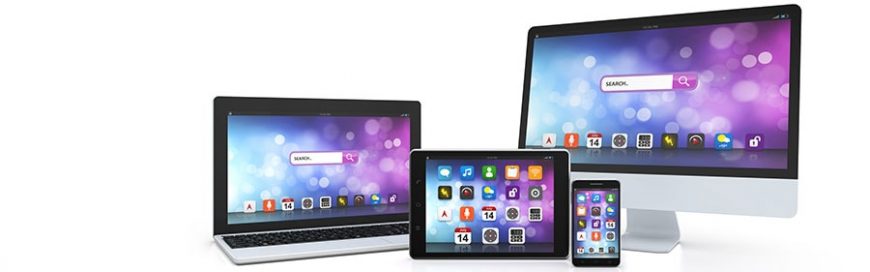
Microsoft is redesigning Outlook for Mac and Windows to reduce clutter and improve user experience. The design changes will be patterned after the iOS version of the app, which is much easier to use and more modern-looking than its desktop counterpart. If you use Outlook on a desktop, check out these new changes.

How Outlook will be simplified

The most notable feature of the new Outlook will be a simplified navigation bar along the top of the screen, which means less of the screen will be reserved for formatting and organizational options. However, you can still add more buttons to accommodate your common tasks and preferences. With a smaller number of commands, you can benefit from an uncluttered interface that lets you use email more efficiently.

Changes will also be made to the left panel to provide users with quicker access to folders across multiple accounts. Moreover, a slide-to-delete function using Apple’s trackpad — like in the iOS version — will be integrated into the redesigned app.

Other design changes for Outlook in Mac

Mac users can also expect faster and more reliable search and calendar features in the enhanced Outlook. The search function will get a performance boost and will be moved to the top right corner of the app for easier access. The calendar function’s interface, on the other hand, will be reworked to eliminate tedious steps currently required to manage appointments.

These and other upcoming changes are aimed at increasing users’ satisfaction ‘by providing a cleaner, more modern way to email.’ The design changes will also benefit those who access their account on different devices because, in the updated desktop version, they will be able to enjoy the same uncluttered app that they use on their mobile devices.

Although the changes are for Windows and Mac, Microsoft is implementing most of the design changes primarily for Mac. Microsoft recognizes Outlook’s popularity among “key influencers and decision makers,” whom it wishes to win over before a wider release. The new version will most likely become available to Office 365 subscribers first and eventually roll out with Office 2019, which is expected to arrive in mid-2018.

An easy-to-use email interface is a boon to your business’s productivity. And with Outlook’s new look and improved functionality, you can read, send, and organize emails more conveniently and with minimal distraction. Our experts are on-hand to answer all your questions about Outlook and other Microsoft Office apps — get in touch with us today.

Published with permission from TechAdvisory.org. Source.

The post Outlook on Mac and Windows gets redesigned appeared first on Parallel Edge, Inc.


Source: Pronto

Google studies effects of leaked logins

Google studies effects of leaked logins

Passwords are your first line of defense against hackers. But over the years, they have developed plenty of methods to steal them. To gain a deeper understanding of how cybercriminals operate, Google analyzed the causes of leaked login credentials. Here are the results.

The results
From March 2016 to March 2017, Google and UC Berkeley researchers examined three main ways hackers hijack accounts:

  • Keylogging software – a malicious program that records computer users’ keystrokes
  • Phishing emails – to lead people into dangerous websites
  • Stolen passwords – available to the highest bidder

In just one year, Google found 788,000 successful keylogging attacks, 12.4 million victims of phishing attacks, and 1.9 billion accounts exposed via login credentials sold on the black market.

Researchers suggest the reason so many accounts are hacked is because people tend to reuse their passwords, which means if one set of login credentials is exposed, other accounts could be compromised.

Phishing is also a big threat because it targets users — the weakest links in your cybersecurity. The strongest password or security system won’t mean anything if your employees constantly fall for online scams.

Protecting your accounts
There are several things you can do thwart account hijacking. For starters, you should set strong and unique passwords for each account to minimize data breaches.

While the general rule in the past was to set a complex password — a mix of letters, numbers, and symbols — recent studies suggest that longer, 20-character “passphrases” are much tougher to crack. If you find it difficult to remember several passwords, consider using a password manager, which not only stores all your passwords, but can generate strong passwords, too.

To deal with phishing attacks, you should activate multi-factor authentication on your accounts. This adds an extra layer of identity verification to your password (e.g., a fingerprint scan or a temporary security key sent to your phone), making your login details ‘unphishable.’

Security training is also crucial. This includes teaching your employees about what phishing attacks look like and instructing them on password protection best practices so they never fall victim to account hijacking.

The bottom line is not only that strong password security requires strong defense mechanisms; you and your employees must be vigilant, too.

Need more advice on keeping your business safe? Call us today! We provide critical security updates and comprehensive support services to help you stay well ahead of cybercriminals.

Published with permission from TechAdvisory.org. Source.

The post Google studies effects of leaked logins appeared first on Parallel Edge, Inc.


Source: Pronto

Google My Business now accepts appointments

Google My Business now accepts appointments

There are countless platforms that showcase, review and link to small businesses, but few have as much impact as Google does. Although business owners can’t choose where their site ranks in the search results, they can edit information that is displayed and insert some flashy new features.

How to edit your business’s Google listing

When someone types your business’s name and location into Google.com, a “Knowledge Panel” is displayed on the righthand side of the search results with information about your office. If your business doesn’t have a Knowledge Panel, you can change that by opening a free Google My Business (GMB) account.

The GMB platform lets you link to your website, update office information (address, hours, phone number, etc.) and choose which photos Google associates with your company. GMB also gives you data about how many people:

  • Saw your business’s Knowledge Panel in search results
  • Visited your website by clicking somewhere in the Knowledge Panel
  • Asked for directions via the Knowledge Panel

What’s new with GMB?

In the summer of 2017, Google announced that business owners could customize “Posts” in their Knowledge Panel. Posts are made up of a 100-300 word caption, an image and a call-to-action button, such as Learn More, Sign Up, Buy, etc. Posts automatically expire after seven days, which makes them perfect for sales, events and content marketing.

More recently, Google added another exciting feature: the ability to schedule appointments from inside the Knowledge Panel. If your website uses one of the 22 accepted plugins, you can connect it with GMB to make it easier for searchers to book a reservation at your location. Google is in the process of rolling out this feature to gyms, beauty salons and restaurants, but a wider release is on the way.

How do I enable Bookings?

Adding this feature to your GMB page is an easy four-step process:

  1. Log in to Google My Business
  2. Click on the Sign Up For Bookings icon below your business’s profile
  3. Choose your booking provider from the list of approved vendors and sign up on its site
  4. Check back in a few days and start tracking your appointments with GMB!

If your business accepts reservations, this feature will be an indispensable tool for improving your customers’ experiences. For more information on low-cost technology solutions that add value to your business — give us a call today.

Published with permission from TechAdvisory.org. Source.

The post Google My Business now accepts appointments appeared first on Parallel Edge, Inc.


Source: Pronto

OneDrive’s new feature helps you save space

OneDrive’s new feature helps you save space

Don’t you just hate it when your PC gives a warning message that it’s running out of space? You’re then forced to go through all your files to figure out which are important and which ones can be deleted. Sometimes you manage to get a few megabytes back, but oftentimes you end up grabbing your external disks. But with OneDrive Files On-Demand, the issue will become a thing of the past.

Microsoft has launched OneDrive’s new feature called “OneDrive Files On-Demand,” which comes with Windows 10 Fall Creators Update. This new feature allows users to transfer files to Microsoft’s cloud storage, thus saving some space on their local hard drive. What’s great about this feature is that you can open and view the online-only files quickly and conveniently as if you’re opening them from your local hard drive.

How to get the new feature

When you upgrade to Windows 10 Fall Creators Update, the OneDrive Files On-Demand feature should be enabled by default. But if it’s not, all you need to do is turn it on by:

  • Opening OneDrive
  • Clicking the cloud icon on the right side of your taskbar
  • Selecting Settings and clicking the Setting tab
  • In the Files On-Demand section, make sure the Save space and download files as you use them box is checked

What do these icons mean?

In the OneDrive folder in File Explorer, you’ll see three types of icons (look at the Status column). Here’s what they mean:

  • Blue cloud: files that are stored online only
  • Green checkmark in white circle: files that are stored locally and will be made online-only when you’re running out of space
  • White checkmark in green circle: files that are stored locally even when you’re running out of space

How to download online-only files

You can download files stored online to your local disk by simply opening them, whereupon a green checkmark will appear on the file. You can also make those files always-available offline (white checkmark) by right-clicking the files and selecting Always keep on this device.

How to upload local files to the cloud

Just right click the files — whether they’re files with green or white check marks — and select Free up space.

Microsoft’s OneDrive Files On-Demand feature is another proof of how cloud technology can help optimize your IT resources. For more ways to make the most of your technology investment, talk to our cloud experts today.

Published with permission from TechAdvisory.org. Source.

The post OneDrive’s new feature helps you save space appeared first on Parallel Edge, Inc.


Source: Pronto

Android introduces Fast Pair

Android introduces Fast Pair

As seen with Apple’s AirPods, people today are quickly growing accustomed to wireless pairing between their smartphones and headphones. Of course, Google has been working on a solution of its own, and it has just made it to the market.

What is Fast Pair?

Fast Pair is Android’s new connectivity solution which uses Bluetooth technology and the smartphone’s proximity to let you connect to Fast Pair-enabled Bluetooth devices with just a single tap.

How does it work?

When a Fast Pair-enabled device is nearby, your Android smartphone will automatically retrieve the device’s product image and name from Google’s servers and display it on the screen. After tapping the image, a confirmation message will appear to let you know a pairing has been made successfully.

Fast Pair also comes with useful companion apps. An example would be the equalizer app that comes with certain Bluetooth headphones. It lets users optimize their sound experience whenever using Fast Pair to connect to Bluetooth devices.

Note that Fast Pair only works with Google Play Services version 11.7. And while Google may not have introduced a completely new technology, you can expect a broader range of wireless coverage and faster connectivity as more wireless devices get Bluetooth 5 features.

Does it support all existing Bluetooth gadgets?

Not for the time being; Bluetooth device manufacturers will need to adopt Fast Pair by registering with Android first. Currently, the following headphones are Fast Pair compatible: Google’s Pixel Buds, Libratone’s Q Adapt On-Ear, and Plantronics Voyager 8200-series wireless headsets.

Support for Fast Pair extends back to Android Marshmallow. And as more Android phones are losing the headphone jack, Google has made the right move to support the change in demand.

As the world of technology moves forward, you can expect even more hardware designed to make life easier. And as always, you can count on us to keep you up to date about all of it. If you have any other questions, just give us a call.

Published with permission from TechAdvisory.org. Source.

The post Android introduces Fast Pair appeared first on Parallel Edge, Inc.


Source: Pronto

Google reviews: how to make them count

Google reviews: how to make them count

Google has recently modified their search results to display ratings from review sites like Facebook and Yelp. While this may seem like a small change, it has actually made reviews more important than ever in terms of SEO. With the following tips, your company can shine in the Google search results.

How Google changed search results
Google’s new search algorithm is designed to lead people to high-quality products and services. For instance, if you search “Acme Group Inc.”, Google will show you something called a Knowledge Panel. Displayed on the right side of the search results, this panel includes information like address, hours, web address and more.

Over the last year, Google has been automatically aggregating and including online reviews to display in the Knowledge Panel.

Which review sites does Google include?
Relevant sites vary from industry to industry, so if you manage a restaurant, reviews from Yelp or Zagat will likely be displayed next to your online listings. If your business is a bit more niche, however, there are a few steps to determine which review sites affect you.

Go to Google and search for the following:

  • “[your company name] reviews” – to locate sites that already have reviews on your business
  • “[industry] reviews” – to determine industry review sites that you should be listed on
  • “[industry + location] reviews” – to find review boards where you can boost your local presence

Then, record all the review sites you found on the first page of each search query and categorize them based on their search ranking and the current rating your company has on them.

Once you’ve produced a comprehensive list, write down an objective for each review site. This can range from getting listed on the site to improving your rating.

To narrow it down even further, focus your review generating efforts on the five most popular websites on your list, especially any that include disappointing reviews.

Getting reviews
Of course, all this doesn’t matter if people aren’t writing reviews about your products and services. With that in mind, here are a few strategies that encourage people to rave about your business.

1. Send follow-up emails
After a customer has made a purchase, it’s a good idea to send a thank you email that includes a request to review your service.

2. Simplify the review process
Many customers opt to skip writing a review because there are too many steps to express their opinion. Simplify this process by having a review site already opened on your smart tablet and asking your customers to comment on your service before they leave your venue.

3. Offer rewards for reviews
Another way to encourage people to rate your business is by presenting them with a chance to win free goods or services if they submit a review.

Though there’s a lot of steps involved in managing your online reputation, starting early will enhance your SEO, attract new customers, and improve your bottom line.

If you need more advice on climbing up Google’s search rankings or tips on social media management, contact us today.

Published with permission from TechAdvisory.org. Source.

The post Google reviews: how to make them count appeared first on Parallel Edge, Inc.


Source: Pronto

Hackers exploit vulnerable Office feature

Hackers exploit vulnerable Office feature

As the world’s most popular productivity suite, Microsoft Office tends to receive much attention from cybercriminals. Generally, hackers embed malware in authentic Office files to trick users into unleashing it onto their machines. However, the most recent exploit proves to be much more dangerous than any Office hack we’ve seen.

What’s the new Office threat?
The Office exploit takes advantage of Microsoft’s Dynamic Data Exchange (DDE), a protocol that sends messages and data between applications. For example, DDE can be used to automatically update a table in a Word document with data collected in an Excel spreadsheet.

The problem with this is hackers can create DDE-enabled documents that link to malicious sources rather than to other Office apps. Theoretically, this allows hackers to launch scripts that download Trojan viruses from the internet and execute it before the user is even aware of the attack.

And unlike most malware-embedded Office files, which are usually blocked by security protocols from Microsoft, DDE exploits are instant. Once a compromised Word file is opened, it automatically executes the hack.

Outlook at risk
What’s even more alarming are the DDE vulnerabilities in Outlook. Recent reports found that hackers can embed malicious code in the body of an email or calendar invite, allowing them to perform phishing scams without a file attachment.

Fortunately, Outlook DDE attacks are not as automated as Word or Excel DDE attacks. Two dialog boxes will usually appear when you open the email asking if you want to update a document with data from linked files and start a specific application. Simply clicking ‘No’ on either of these boxes will stop the attack from executing.

Defending against DDE attacks
Beyond saying no, you can protect yourself by following these security best practices:

  • Evaluate the authenticity of unsolicited emails before interacting with them and don’t open attachments from unfamiliar contacts.
  • View emails in plain text format to completely stop DDE attacks embedded directly in emails from running. Note that this will also disable all original formatting, colors, images, and buttons.
  • Use a strong email security system that prevents phishing emails, spam, and other unwanted messages from reaching your inbox.
  • Get in the habit of checking for Microsoft updates, as they’re usually quick to release patches after vulnerabilities have been discovered.

Last but not least, consider working with our team. We’re Microsoft Office experts who can keep you safe from the latest threats. Call us today to get started!

Published with permission from TechAdvisory.org. Source.

The post Hackers exploit vulnerable Office feature appeared first on Parallel Edge, Inc.


Source: Pronto

KRACK hacks: What you need to know

KRACK hacks: What you need to know

You’ve heard of ransomware, denial-of-service attacks, and even phishing, but one hacking technique you may not have heard of is the KRACK exploit. This attack takes advantage of a vulnerability in WiFi networks, which puts any device with a wireless connection at risk. Here’s everything you need to know about KRACK.

What is KRACK?
Simply put, KRACK, short for ‘key reinstallation attack,’ allows hackers to bypass WPA2 — a security protocol used by routers and devices to encrypt activity — and intercepts sensitive data passing between the mobile device and the wireless router, including login details, credit card numbers, private emails, and photos.

In extreme cases, KRACKed devices can be remotely controlled. For example, hackers can log in to your surveillance systems and shut them down.

What’s worse, Internet of Things devices — like smart thermostats and IP cameras — rarely receive security fixes, and even if some are available, applying patches are difficult, as these devices tend to have complex user interfaces.

The good news, however, is you can do several things to mitigate the risks.

Download patches immediately
According to recent reports, security patches have already been released for major platforms, including iOS, Windows, and Android. Router manufacturers such as Ubiquiti, Mikrotik, Meraki, and FortiNet have also issued firmware updates, so make sure to install them as soon as possible.

Although IoT patches are rare, consider getting your smart devices from reputable vendors that push out updates regularly. It’s also a good idea to contact a managed services provider to install the updates for you.

Use Ethernet connections
Some wireless routers don’t yet have a security patch, so while you’re waiting, use an Ethernet cable and disable your router’s wireless setting. Turn off the WiFi on your devices as well to make sure you’re not connecting to networks susceptible to KRACK.

Stay off public networks
Free public WiFi networks — even ones that are password-protected — in your local cafe should also be avoided because they usually don’t have holistic security measures in place, making them easy targets for cybercriminals.

Connect to HTTPS websites
If you do need to connect to a public WiFi hotspot, visit websites that start with “HTTPS,” and stay away from ones that are prefaced with “HTTP.” This is because HTTPS websites encrypt all traffic between your browser and the website, regardless of whether the connection is vulnerable to KRACK

Hop on a Virtual Private Network (VPN)
You can also use a VPN service to hide all network activity. Simply put, VPNs encrypt your internet connection so that all the data you’re transmitting is safe from prying eyes.

Although the potential impact of a KRACK hack is devastating, security awareness and top-notch support are the best ways to stay safe online. Want more security tips? Contact us today.

Published with permission from TechAdvisory.org. Source.

The post KRACK hacks: What you need to know appeared first on Parallel Edge, Inc.


Source: Pronto

Cisco introduces new AI services

Cisco introduces new AI services

Modern IT systems are generating more data than ever before, and humans can’t keep up. Thankfully, certain tasks have already been offloaded to machines. Even better, Cisco may have a long-term solution to IT management complexities.

Artificial intelligence (AI) and machine learning are extremely useful in helping us sift through massive amounts of information, and networking behemoth Cisco recently announced that they will be incorporating these technologies with two of their services.

Business Critical Services

This suite of services uses AI-powered automation, compliance, security, and machine learning analytics tools to reduce the complexity of IT systems management. It helps monitor the health of your business services and mitigate risks via automated compliance and remediation audits.

You can also replicate your network to improve reliability between your hardware and software components, and deploy features with automation capabilities.

Cisco High Value Services

This product support model provides network, software, and solution support using advanced analytics and best practices to access infrastructure performance and remediate issues. Cisco aims to improve business continuity and reduce resource constraints with remote monitoring, automated incident detection, and high SLAs.

Some of the services you can expect include software analysis, workflow integration, customer benchmarking, and predictive network analysis.

Using cutting-edge technologies as well as networking and hardware expertise, Cisco is gearing up its attempt to predict IT failures before they happen. That said, we assume it’s only a matter of time before other major developers follow suit, and when they do, you’ll be the first to know.

If you’d like to learn more about how to predict IT failures before they happen, or stay protected and operational when they do, just give us a call.

Published with permission from TechAdvisory.org. Source.

The post Cisco introduces new AI services appeared first on Parallel Edge, Inc.


Source: Pronto

Here comes Dropbox Professional

Here comes Dropbox Professional

Lack of storage space is something we all have to deal with at some point. You’ll be forced to delete some seemingly unnecessary files, only to find out that you actually needed them later. What would you do? Dropbox offers a quick fix with its new Professional plan. Read on to learn more.

Stop worrying about storage space

Gone are the days when you have to regularly remove, relocate, or reorganize files stored on your hard disk because there’s not enough space. Dropbox has recently introduced a new plan, Dropbox Professional, aimed at self-employed professionals and entrepreneurs. And it comes with a new feature called Smart Sync.

Smart Sync allows you to choose any file or folder stored in your computer’s Dropbox folder and send it to the cloud, thus freeing your hard disk space.

What’s great about this feature is that all the “online-only” files and folders will still be visible on your desktop, allowing for convenient access. You can view, rename, remove, or preview those files and folders easily from your computer, just like you can for regular files.

It also comes with an array of extra features, such as advanced sharing controls that include remote device wipe, password-protected and expiring shared links, detailed viewer history, and priority support with the Dropbox support team.

Let’s welcome Showcase

Another exciting feature of Dropbox Professional is Showcase. Instead of organizing your files in a traditional folder, now you can arrange them on a “branded page” with customized layouts, captions, visual preview and show them to the world. This PowerPoint-like page is a great tool for designers, marketeers, or any entrepreneurs who have to present their work to potential clients.

You can also see who viewed your file, as well as how they might have interacted with it (e.g., by downloading and/or commenting whatever work your share).

Any type of file can be shown on Showcase except video files which, for now, can be presented only as a static image. Dropbox will roll out a support for this soon. And the good news is: Showcase doesn’t take up your Dropbox space.

Pricing

$19.99 a month or $199 a year is the price you have to pay for Dropbox Professional and its extras. The plan comes with 1TB storage and allows you to recover old versions or restore deleted files from the last 120 days.

Let’s see whether the new Dropbox plan can compete with other cloud-storing products in the market, including Box.com, which costs only $15 a month (but has fewer features).

Using productivity apps is one way to help you become more efficient. But there are also many other ways in which technology can help improve your efficiency. Why not contact our IT team today? Our staff knows how to turn technology to your advantage, and they’ll be more than happy to talk to you!

Published with permission from TechAdvisory.org. Source.

The post Here comes Dropbox Professional appeared first on Parallel Edge, Inc.


Source: Pronto